Introduction
What Doska is: a shared whiteboard where diagrams are code, with live documents, infrastructure import and Claude via MCP.
Doska is a collaborative whiteboard for engineering teams. You draw together in real time, describe architecture as code in Mermaid or D2, keep runbooks and design docs next to your boards, and turn Terraform, Kubernetes and docker-compose files into diagrams. This page explains the core ideas and points you to the rest of the documentation.
Doska is free and runs in the browser at getdoska.top.
How your work is organized
Everything in Doska lives in a simple hierarchy:
| Level | What it is |
|---|---|
| Organization | Your company or team. Members, invitations and access tokens belong to an organization. |
| Project | A set of boards and documents with its own members and roles (Owner, Editor, Viewer). A project can be open to the whole organization. |
| Folder | Optional nesting inside a project, to keep boards and documents tidy. |
| Board | An infinite canvas: stickies, shapes, arrows, frames, images and diagrams from code. |
| Document | A page of rich text, like in Confluence, that can show live diagrams from boards. |
When you sign up, Doska creates an organization for you with a project called Shared boards and a Welcome board inside it. You can share a single board or document with someone without giving them the whole project.
Diagrams are code
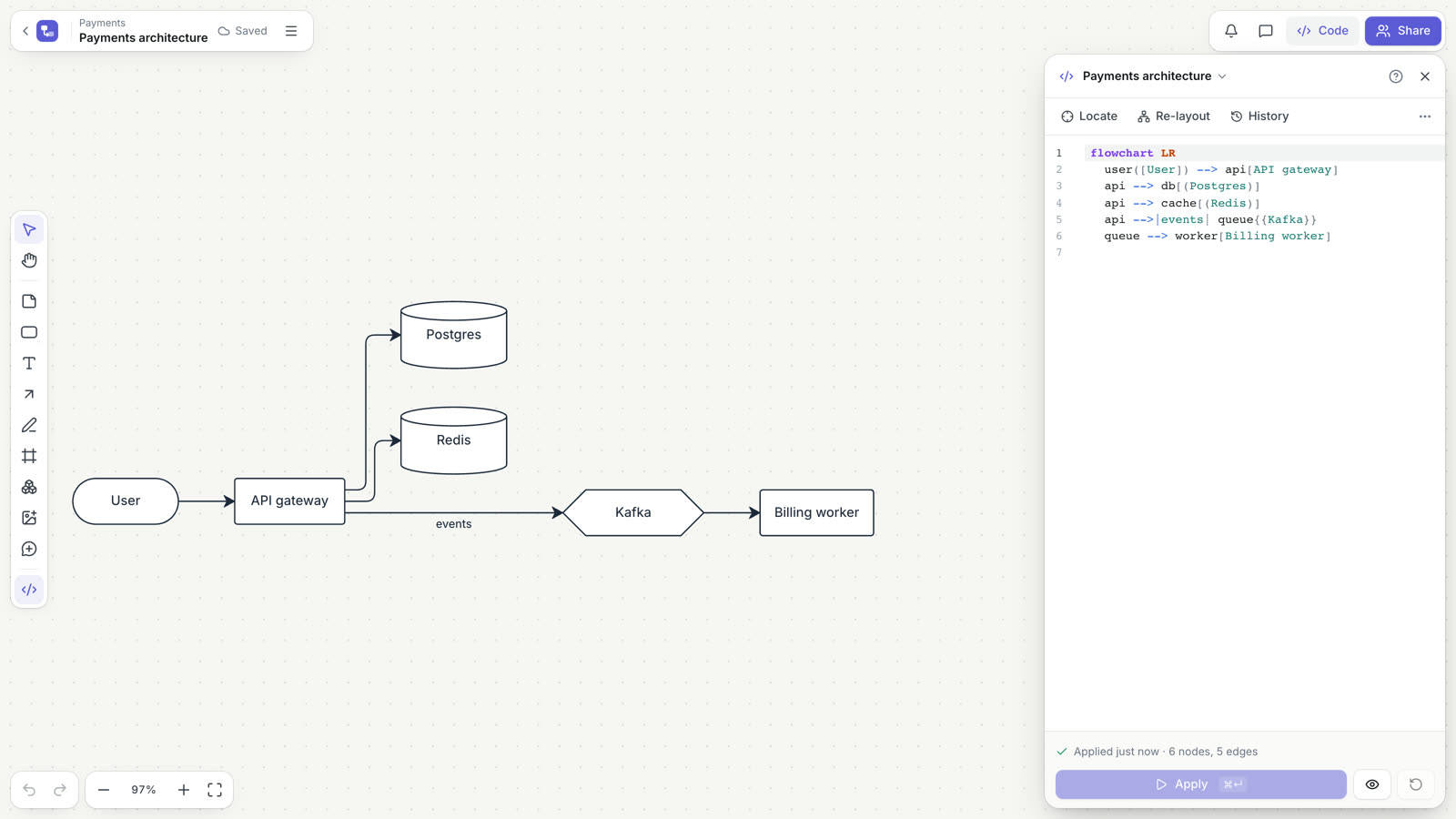
A diagram on a board is backed by code: Mermaid (flowchart, sequenceDiagram, architecture-beta), D2 or nwdiag. Paste the code, and Doska turns it into real shapes, arrows and frames that you can move, recolor and connect to anything else on the board.
flowchart LR
  user([Customer]) --> web[Website]
  web --> api[API]
  api --> pay{{Payments}}
  api --> db[(Database)]
The sync works in both directions:
- Edit the code and click Apply: the diagram updates in place. Shapes that did not change stay where you put them.
- Edit on the canvas: rename a node, draw an arrow between two nodes, delete a node or group nodes, and Doska rewrites only the affected lines of the code.
- Draw first, convert later: select shapes and arrows you drew by hand and click To diagram to get the code.
Because a diagram is just text, you can keep it in git, review it and update it from CI through the REST API. Details are in Diagrams as code.
Documents with live diagrams
Documents are pages for runbooks, ADRs, RFCs, postmortems and meeting notes. They support headings, lists, checklists, callouts, tables, code blocks and comments on any sentence. Insert a diagram from a board, and the document always shows its current state: change the board, and every page that embeds it is up to date. See Documents.
Infrastructure to diagram
Upload the output of terraform show -json, Kubernetes manifests or a docker-compose.yml, and Doska draws the architecture: regions, VPCs, subnets, services and the connections between them. The result is ordinary D2 code you can edit. Import the same source again later, and the diagram updates in place and shows where the board differs from the files. See Infrastructure diagrams.
Claude on your boards
Doska has a built-in MCP server. Connect Claude Code (or another MCP client) with a personal access token, and it can read boards, write and fix diagrams, add stickies and answer comments, with no more rights than you have. See Claude and MCP.
Free editors without an account
Some tools work without signing up: the Mermaid, D2 and nwdiag editors and Terraform to diagram. Code and files are read in your browser. When you want to keep the result, save it to a board. See Free tools.
Working together
Everyone on a board sees each other's cursors and changes as they happen. You can leave comments with @mentions on any shape or diagram node, restore earlier versions from the version history, and share a board with a colleague, a guest from outside the organization or anyone with a read-only link. See Boards and Sharing and permissions.
Where to go next
- Quick start: from sign-up to your first diagram in a few minutes.
- Boards: tools, selection, alignment, comments, history and export.
- Keyboard shortcuts: the full reference.
- Diagrams as code: Mermaid, D2 and nwdiag syntax and how sync works.
- Infrastructure diagrams: Terraform, Kubernetes and docker-compose.
- Documents: pages with live diagrams.
- Free tools: editors that work without an account.
- Sharing and permissions: roles, invitations and public links.
- Claude and MCP: connect Claude to your boards.
- REST API: update diagrams from scripts and CI.
- Privacy and security: how your data is handled.